
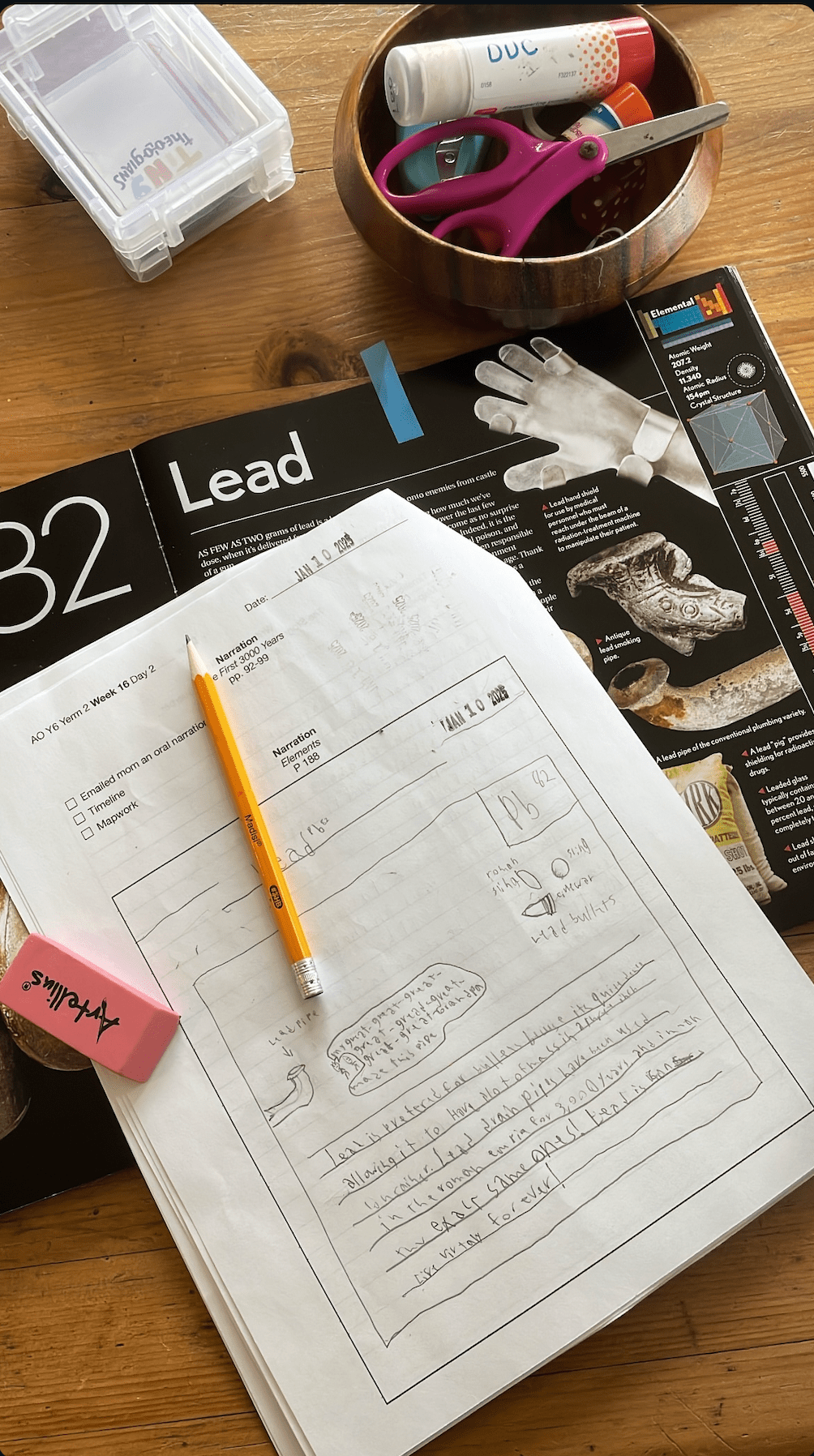
It’s hard to believe we are almost half way through another school year. We are still trying to figure out a system that works for our family. I’m so grateful I get to work from home, as that gives me the ability to homeschool both of my kids! But it also means I don’t have a full day to devote to homeschooling. While my youngest student usually finished by noon, my oldest student usually is still doing lessons while I’m working. I realized that he needs clear directions for assignments, and so I started printing off these narration packets. He knows what needs to be done, and I know what he has already done.
Why did I create this packet?
We’ve used composition notebooks, loose lined paper, Google Doc, and binders, but we’ve never found a system that helps my son become a more independent student. Between working part-time and having another more dependent student, I didn’t always have time in the afternoon to check which narrations my son had finished.
These narration packets are stapled together and show my son (with ADHD) exactly was assignments are required of him each day. And I can easily pick it up and glance inside (instead of flip through several different composition books or try to find loose papers) to see how much of today’s assignments he has completed.
How do we use the narration packet?
Each time we start a new week of AmblesideOnline curriculum, I type in the assignments, and then print out this packet to give it to my son. I staple a “week at a glance” sheet to the top, so he can check off activities like “copywork” or “math”.
The narration packet is what he uses after each reading. I only assign him one written narration per day. The other narrations are oral narrations or science notebook sheets. The pages that have a big empty box, are where I would like him to draw or write notes, as he would in a science notebook. The pages with lines require a full-page written narration. There are also reminders for him to check off that he has done mapwork, adding events to his timeline, or given an oral narration to me.
At the end of the day (or sometimes at the end of the week), I flip through the narration packet to read what he has written or drawn. Usually to see if he has sufficiently narrated or not. I’ll often take a pen and write some tips like “Please write more neatly”, “This narration is too vague”, or “Look at your narration tips list for a more creative hook”.
How can you use this narration packet?
You can download the Weekly Narration Template I made for my family below. Feel free to edit it to suit your needs! We condensed our Ambleside Online week into four days, as we attend a co-op during the week. I also require one written narration per day for my son, while others may have one a week. And we have added or substituted some books.
How does he send me oral narrations?
I have not found the perfect solution for this yet. My son currently has an old iPad that he uses for audiobooks, but because it is so old it is limited in what it can do. At the moment, he records himself on the Voice Memo app and then he shares the MP3 by emailing it to me from his iPad. I’ve seriously contemplated getting him a good old fashioned voice recorder!
Download the Weekly Narration Templates:
*Please note, that I have no idea how the document will have formatted itself in Word after I exported it from Pages and into Google Drive. Some editing may be required. If you’d like the Word document emailed to you send me a DM on Instagram or email me at leducommun AT gmail 😉
Let me know if you have any tips for narrations!


 Lauren Ducommun
Leave a reply to Lauren Ducommun Cancel reply